
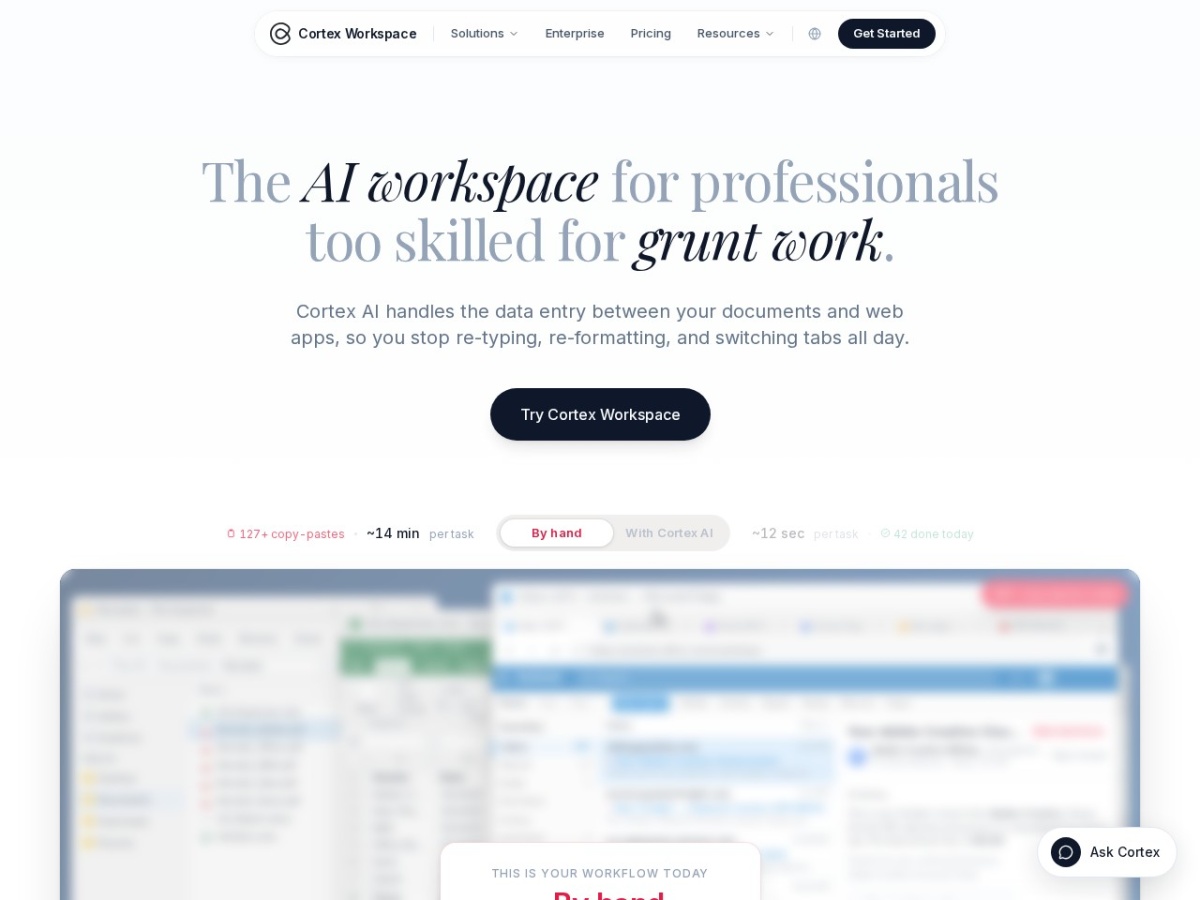
The promise of AI-powered automation has become ubiquitous in 2025, with seemingly every productivity tool now claiming to harness machine learning to save professionals time. AppCortex AI, marketed under the brand name Cortex Workspace, positions itself as an AI assistant specifically designed to eliminate what it calls "grunt work" — the repetitive data entry, formatting, and tab-switching that consumes hours of a knowledge worker's day. The pitch is straightforward: install a desktop application that reads your documents on one side of the screen and fills out web-based software on the other, while you supervise. But in an era when AI startups routinely overpromise and underdeliver, and when data security concerns loom large for any tool that touches business-critical information, the legitimate question arises: is AppCortex AI a genuine productivity solution, or just another overhyped service trading on the AI buzzword?
After examining the company's stated capabilities, security architecture, and positioning, the answer appears more nuanced than a simple scam-versus-legit binary. AppCortex AI represents a real product with a functional model, built around robotic process automation wrapped in an AI interface, but its ultimate value depends heavily on the specific workflow problems a user faces and their tolerance for the inherent risks of granting software access to both sensitive documents and authenticated web sessions.
What AppCortex AI Actually Does
At its core, AppCortex AI is a desktop application that functions as a bridge between static documents and dynamic web applications. The software reads information from files stored locally on your computer — contracts, invoices, bank statements, pay stubs, tax returns, spreadsheets — and then automates the process of entering that data into browser-based business software. The target applications span accounting platforms like QuickBooks, Xero, and NetSuite; customer relationship management systems including Salesforce and HubSpot; mortgage loan origination software such as Encompass and LendingPad; legal case management tools like Clio and MyCase; and effectively any web portal accessible through a standard browser.
The company emphasizes that this process requires no API integration, no IT department involvement, and no vendor partnership. Instead, Cortex AI operates by controlling a web browser session the same way a human user would — logging in, navigating menus, locating form fields, and populating them with extracted data. This is robotic process automation at heart, enhanced by natural language processing and optical character recognition to interpret unstructured documents. The user interface presents documents on one side of a split screen and the target web application on the other, with the AI executing actions while the user reviews each step before final submission.
The operational model positions AppCortex AI less as a fully autonomous agent and more as an intelligent assistant that automates the mechanical aspects of data transfer while keeping the human operator in the decision-making loop. This design choice addresses one of the fundamental concerns with AI automation in regulated industries: the need for human verification before data reaches systems of record.
The Industries AppCortex AI Targets
The marketing materials focus heavily on three professional verticals: accounting, legal services, and mortgage lending. These industries share common characteristics that make them natural fits for the kind of automation AppCortex AI offers. All three involve substantial volumes of document processing, all three require data to be transferred from paper or PDF formats into specialized software systems, and all three employ professionals whose time is expensive enough that hours spent on data entry represent a genuine cost problem.
For accounting firms, the typical use case involves processing receipts, bank statements, and invoices into general ledger software. Small and mid-sized practices often handle clients who provide financial documents in inconsistent formats — scanned receipts, emailed PDFs, paper statements — all of which must be categorized, reconciled, and entered into accounting systems. This work is tedious, error-prone when done manually, and represents low-value activity for CPAs and bookkeepers whose expertise lies in analysis and advisory services, not data transcription.
In legal practice, the analogous pain point involves contract review, document filing, and case management data entry. Attorneys and paralegals routinely extract information from court filings, discovery documents, contracts, and correspondence, then input that information into case management systems or court electronic filing portals. The work is necessary but adds no intellectual value, and mistakes can have serious procedural consequences.
Mortgage and loan origination presents perhaps the most document-intensive workflow of the three. Loan officers and processors collect pay stubs, W-2 forms, tax returns, bank statements, property appraisals, and title documents, then manually key data points from these sources into loan origination systems. The volume of documents per transaction is high, the margin for error is low given regulatory compliance requirements, and the time pressure is intense in competitive lending markets.
What unites these use cases is that they all involve transferring structured or semi-structured data from documents into software applications that lack sophisticated import capabilities or that require web-based manual entry. AppCortex AI slots into this gap, offering to read the source documents using AI-powered extraction and then populate the destination systems using browser automation.
The Security Architecture and Its Implications
For any tool that touches business documents and accesses authenticated web applications, security architecture is not a peripheral concern but the central question. AppCortex AI addresses this head-on with a data handling model that keeps most information local while sending only specific extraction requests to cloud-based AI services.
According to the company's documentation, projects in AppCortex AI consist of local folders on the user's device. When you work with documents, edits and annotations save to your hard drive, not to a remote server. The application does not upload entire projects or complete document sets to the cloud. Instead, when the AI needs to interpret a section of a document — to extract a date from an invoice, read a pay stub, or parse a contract clause — only that specific content is transmitted to the inference layer for processing.
This architecture represents a compromise between pure local processing and full cloud operation. Running large language models and sophisticated OCR entirely on consumer-grade laptops remains computationally impractical for real-time interactive use, so some cloud processing is necessary. By limiting what gets transmitted and emphasizing that cloud-side data is deleted within thirty days, AppCortex AI aims to reduce exposure while maintaining performance.
The company also holds SOC2 Type II certification, an audited security standard that verifies controls around data handling, access management, and operational security. SOC2 Type II involves third-party assessment over a period of time, not just a point-in-time snapshot, which adds credibility compared to self-certified security claims. The certification does not eliminate all risk — no security framework can — but it indicates that the company has implemented and maintains documented controls and has subjected those controls to external review.
The model training question is another security dimension where AppCortex AI makes explicit commitments. The company states that customer data is never used to train AI models, a critical assurance for professionals handling proprietary or confidential information. In the current AI landscape, where major platforms like OpenAI and Google have faced scrutiny over data usage policies, this commitment matters. Calls route through what the company describes as a neutral inference layer, suggesting the use of third-party model providers under contractual terms that prohibit training on customer inputs.
Does this architecture make AppCortex AI completely safe? No software that handles sensitive data and automates web logins can be considered risk-free. The application must necessarily have access to your documents and must be granted permission to control browser sessions where you're authenticated to business-critical systems. A vulnerability in the application, a compromise of the local device, or a breach of the cloud inference layer could all expose data. But the architectural choices — local storage, limited cloud transmission, deletion policies, third-party certification — demonstrate a security-conscious design rather than an afterthought approach.
Practical Strengths and Realistic Limitations
The most compelling strength of AppCortex AI lies in its pragmatic approach to the integration problem. Enterprise software integration is notoriously complex, typically requiring API documentation, developer resources, ongoing maintenance, and vendor cooperation. Many small and mid-sized businesses use a patchwork of applications that don't natively talk to each other, and for which no integration exists. By automating at the browser layer, AppCortex AI sidesteps this entire problem. If a human user can access an application in Chrome or Firefox, AppCortex AI can automate it.
This means the tool works not only with major platforms like Salesforce and QuickBooks, but also with niche industry applications, custom web portals, government websites, and internal enterprise systems. A real estate attorney filing documents with a county recorder's office, a mortgage processor entering data into a regional bank's proprietary loan system, an accountant uploading information to a state tax portal — all of these scenarios are theoretically within scope, because the automation operates at the user interface level rather than through backend APIs.
The user-in-the-loop design is another practical strength. Unlike fully automated robotic process automation that executes scripts without supervision, AppCortex AI presents each action for review before execution. This reduces the risk of catastrophic errors and maintains the human professional's responsibility for accuracy, which is essential in regulated industries where the practitioner, not the software vendor, bears liability for mistakes.
However, these strengths come with corresponding limitations. Browser-based automation is inherently fragile. When a web application updates its interface, changes field names, or redesigns its navigation, automation scripts break. AppCortex AI must either continuously update its understanding of how to interact with target applications or require users to guide it through changes. The documentation does not detail how the system handles such updates, but this is a well-known challenge in RPA implementations.
The accuracy of document extraction represents another limitation. While modern AI can parse structured forms and typed documents with high accuracy, handwritten notes, poor-quality scans, unusual document layouts, and ambiguous data present ongoing challenges. The system's effectiveness will vary significantly based on document quality and standardization. A firm processing W-2 forms from major payroll providers will likely see better results than one handling handwritten contractor invoices from dozens of small vendors.
The requirement for human review at each step, while a security and accuracy feature, also limits the time savings compared to fully autonomous solutions. A user still needs to be present, attentive, and engaged during the automation process. AppCortex AI accelerates the work and reduces the physical labor of typing and mouse-clicking, but it does not eliminate the human time investment entirely. For workflows involving hundreds of similar transactions, this may still represent substantial savings; for one-off tasks, the setup time may exceed the benefit.
Business Model and Accessibility
AppCortex AI offers a free tier that allows users to download and test the workspace application, which removes a significant barrier to evaluation. Professionals skeptical of bold productivity claims can install the software and test it on their actual documents and workflows without financial commitment. This try-before-you-buy approach aligns with legitimate software companies confident in their product's value, rather than scam operations that require upfront payment before any demonstration.
The company's website mentions an Enterprise plan for teams, featuring shared workflows, centralized billing, and administrative controls, though specific pricing details are not publicly listed. This enterprise focus suggests a business model oriented toward professional services firms and corporate departments rather than individual consumers, which matches the target industries and use cases described in the marketing.
The lack of transparent pricing for the enterprise tier is not unusual in B2B software, where deals are often customized based on seat count, usage volume, and specific requirements. However, it does mean that organizations interested in team deployment will need to engage in a sales conversation to understand total cost of ownership.
Red Flags, Reassurances, and the Scam Question
No review of a relatively new AI productivity tool would be complete without directly addressing skepticism. Several factors could raise concerns for cautious professionals. The company is not a household name, and the AI productivity space is crowded with startups of varying quality and longevity. The promise of automating complex professional workflows sounds too good to be true, and history teaches that such promises often are.
However, several factors weigh against the scam hypothesis. The SOC2 Type II certification is verifiable and requires significant organizational investment and third-party audit, which scam operations do not typically pursue. The free tier provides a tangible product that can be tested without payment, eliminating the classic advance-fee scam structure. The technical architecture described — local processing with limited cloud inference — is plausible and aligns with current best practices for privacy-conscious AI applications.
The company also acknowledges realistic limitations and positions its product as a supervised assistant rather than a miracle solution, which is rhetorically more honest than the overselling typical of fraudulent services. The FAQ section addresses common concerns directly, including data safety and the distinction from general-purpose chatbots, demonstrating awareness of informed buyers' questions.
The mention in the FAQ that users sometimes search for "Coretex" or "Cotex" and land on the site suggests the company is dealing with natural brand confusion rather than trying to impersonate another entity, a tactic common among scam sites. This small detail adds authenticity.
Does all of this prove beyond doubt that AppCortex AI is a worthwhile investment? No. Software quality, customer support responsiveness, long-term viability, and actual time savings in production use can only be assessed through extended testing and user feedback. But the available evidence points toward a legitimate software product with real functionality, not a scam designed to extract money without delivering value.
Who Should Consider AppCortex AI and Who Should Look Elsewhere
AppCortex AI is best suited for professionals and firms that face repetitive document-to-application data entry as a genuine bottleneck. If you spend hours each week manually transcribing information from PDFs into web-based software, and if those documents follow reasonably consistent formats, the tool has the potential to deliver meaningful time savings. Accounting firms processing high volumes of receipts and invoices, legal practices managing standardized contract workflows, and mortgage operations handling repetitive loan documentation are the core audience.
The tool is less appropriate for organizations with highly customized or frequently changing web applications, where the brittleness of browser automation will create ongoing maintenance burdens. It's also not ideal for workflows involving highly unstructured documents, complex judgment calls during data entry, or situations where documents and data entry happen asynchronously, making the supervised review model impractical.
Larger enterprises with the resources to invest in API-based integration or custom RPA solutions may find those approaches more robust and scalable, though also far more expensive and time-consuming to implement. AppCortex AI occupies the middle ground: more sophisticated than manual work, less complex than enterprise integration projects, suitable for firms that need automation now without a six-month implementation timeline.
Professionals in regulated industries should carefully review their compliance obligations before adopting any tool that handles sensitive client data. While AppCortex AI's security architecture addresses many concerns, ultimate responsibility for data protection rests with the professional and the firm, not the software vendor. Consultation with compliance officers and legal counsel is advisable.
The Verdict
AppCortex AI is not a scam. It is a real productivity tool built on a cogent technical architecture, addressing a genuine pain point in professional workflows. The company has made verifiable security commitments, offers a free trial for evaluation, and positions its product with realistic claims rather than magical thinking.
Whether it is the right tool for a specific user depends on the particulars of their workflow, document types, target applications, risk tolerance, and productivity bottlenecks. The automation it provides is meaningful but not miraculous, supervised rather than fully autonomous, and dependent on document quality and application compatibility.
For professionals drowning in repetitive data entry between documents and web applications, AppCortex AI represents a legitimate option worth evaluating. The free tier makes testing risk-free from a financial standpoint, though users should approach the evaluation with clear metrics for what would constitute success — hours saved per week, error rate reduction, or specific task elimination.
In the crowded and often overhyped landscape of AI productivity tools, AppCortex AI distinguishes itself through a clear use case, honest positioning, and verifiable security credentials. It won't transform every workflow, and it's not a replacement for strategic process improvement, but for the right tasks in the right hands, it offers genuine utility. That's a higher standard than many AI productivity tools meet, and a reasonable basis for cautious optimism rather than blanket skepticism.